Every parent, always in the loop.
Are they in class? Are they progressing? What’s the homework? Parents see the answers on their phone, for every child, in plain words. And when a child is off sick, running late or leaving early, they tell the teacher in a tap or a WhatsApp message.
- No app to install
- No password to remember
- Free for every family
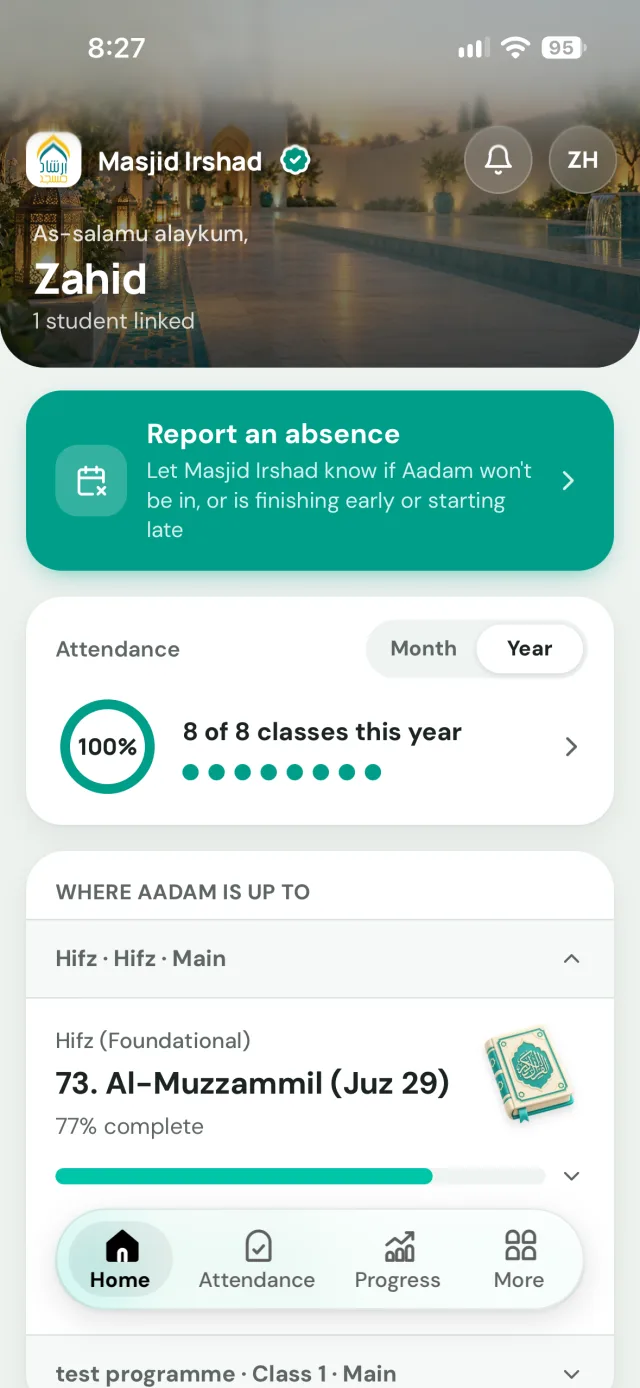
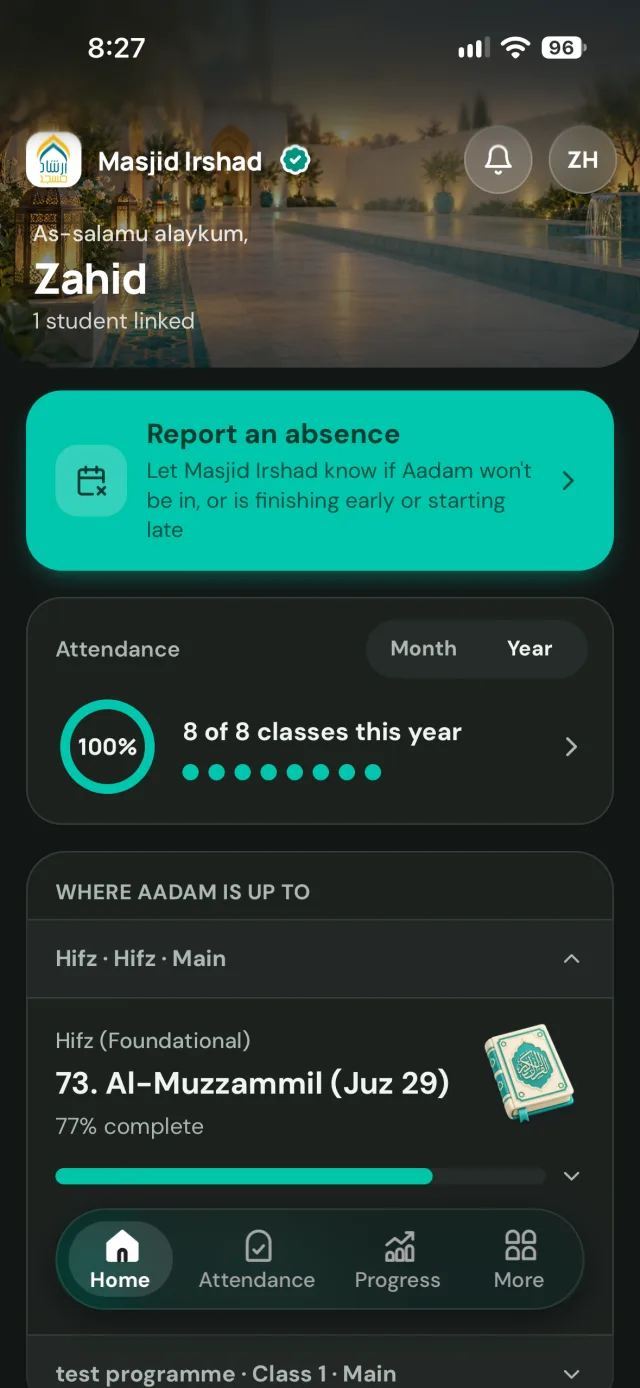
Know before you have to ask.
Every register the teacher takes lands in the portal as it's marked. Students and parents see the whole month at a glance, and parents get a WhatsApp message the moment their child is marked absent.
No calls to the office to check whether they arrived.
Off, late or leaving early? Tell them in a tap.
“Report an absence” sits on the portal’s home screen. Parents choose the day and the reason, or the time their child will arrive or be collected, and whether they’re being picked up or walking home.
It’s on the teacher’s register straight away with a notification, and parents see a tick once the teacher has seen it. Reported absences are excused, so they don’t count against attendance.
Or just send a WhatsApp.
Parents can message Labbaik on WhatsApp the way they’d text the teacher. It recognises their number, knows which children are theirs, and puts the absence, late start or early finish on the right register.
- “Aadam won’t be in tomorrow, he’s not well”
- “Aadam will be late tomorrow, about 5:15”
- “I’m picking Aadam up at 5:30 today”
- “How’s Aadam getting on with his Hifz?”
It only ever answers about their own children, at their own organisation. See WhatsApp.
Progress you can read in ten seconds.
Sabaq, Sabqi and Manzil, Qa’idah levels and Islamic studies, updated as teachers record them, with the teacher’s notes. Every month, a short review on the home screen sums it all up in plain words.
Parents know what to revise at home without having to ask, and can practise it in the Qur’an Companion, recited word by word.
Homework that says exactly what to do.
Every task says what to do and when it’s due, in the teacher’s words, with voice notes, photos of the page and files. New tasks are marked New until they’re opened, so nothing slips past.
Hifz and Qur’an tasks open the exact ayahs in the Qur’an Companion, so children can listen and practise at home with every word lit up as it’s recited.
The right message, to the right parents.
Closures, exam dates and trips appear as a card at the top of the portal for the families they’re meant for. Parents read it in full and tap Acknowledge, so the office can see who has read it.
Teachers and parents can talk one to one in the portal too, with WhatsApp alerts so nothing is missed.
Fees that collect themselves.
Parents save a card or Direct Debit once, and fees are collected on the due date. Every payment and receipt is in the portal, and if a payment fails, smart retries run while they get a WhatsApp message.
No chasing, and no awkward conversations at the door.
Join from the portal. Marked present on arrival.
When a teacher starts a live class, a Join button appears in the portal for every student in it. One tap and they’re in, and the register marks them present the moment they join.
No meeting links to forward and no register to take. See Labbaik Live.
Missed a lesson? Watch it back.
Recordings of online classes and events are published to the portal for the students in them. Catch up on a missed lesson, revise before a test, or carry on from where they stopped.
They stream from the organisation’s own Google Drive or Dropbox.
Simple enough that nobody has to ask.
The bar we hold it to: a parent who rarely uses technology can find what they need without asking the teacher for help.
No password, ever
A code on WhatsApp, a link by email or Google. Nothing to set up and nothing to forget.
Nothing to install
It opens on any phone from a link, and adds to the home screen so it opens like an app.
Every child, one login
Brothers and sisters appear together, and switching between them takes one tap.
Plain words, not codes
"Aadam finishing early today, 5:30pm." No statuses, abbreviations or jargon to decode.
The everyday things first
Report an absence, new homework and announcements sit on the home screen, a thumb away.
WhatsApp when it's easier
Anything they'd text the teacher, they can text Labbaik, in their own words.
In the loop in three steps.
- 1
The organisation adds the student
Staff register students in Labbaik, or families apply through the organisation’s own form.
- 2
Parents get a sign-in link
One email with a link and a code, a code on WhatsApp, or continue with Google. No password to set, ever.
- 3
Everything, on their phone
Attendance, progress, homework, announcements and fees, for every child, in one place.
Questions & answers
The parent portal, answered.
Do parents need to download an app?
No. The portal is a website that works on any phone, tablet or computer. Parents can add it to their home screen so it opens like an app, but there's nothing to install from an app store.
How do parents sign in?
With the email address or WhatsApp number the madrasah has for them. They tap the link we email or type the code from it, continue with Google, or get a code on WhatsApp. There's no password to set or forget.
Can parents see all their children in one place?
Yes. Brothers and sisters at the same organisation all appear under one parent login, and parents switch between them in a tap. Adult students sign in with their own account and see their own classes.
Can parents report an absence in the portal?
Yes, from the home screen. They pick the day and the reason, and it reaches the teacher's register straight away with a notification. Parents see a tick once the teacher has seen it, and the day shows as excused, so it doesn't count against attendance. Adult students can report their own absences the same way.
Can parents say their child will be late or needs to leave early?
Yes. The same form takes a late start or an early finish, with the time, and for an early finish whether the child is being collected or walking home. The teacher sees it on the register before the class starts.
Can parents use WhatsApp instead?
Yes. They can message Labbaik on WhatsApp in their own words, like "Aadam won't be in tomorrow" or "I'm picking Aadam up at 5:30 today", or ask how their child is getting on. It recognises their number and only ever answers about their own children, at their own organisation, so nobody sees anyone else's details.
See WhatsApp →What do parents see about progress?
Sabaq, Sabqi and Manzil, Qa'idah levels and Islamic studies, updated as teachers record them, with the teacher's notes. Each month there's also a short review on the home screen that sums up how their child is getting on in plain words.
Can parents see homework?
Yes. Every task says what to do and when it's due, with the teacher's note, voice notes, photos and files, and new tasks are marked New until they're opened. Hifz and Qur'an tasks have a Listen and practise button that opens the exact ayahs in the Qur'an Companion, where each word lights up as it's recited.
See the Qur'an Companion →How do announcements work?
Announcements reach the families they're meant for and appear as a card at the top of the portal's home screen. Parents read it in full and tap Acknowledge, so the office can see who has read it.
How do live classes work?
When a teacher starts a live class on Labbaik Live or Zoom, a Join button appears in the portal for the students in that class. Students are marked present the moment they join, so the teacher doesn't take a register. Recordings can be published to the portal afterwards for anyone who missed it.
See Labbaik Live →How do fees work in the portal?
Parents save a card or Direct Debit once, and fees are collected automatically on the due date. Every payment and receipt is in the portal. If a payment fails, they get a WhatsApp message, smart retries run over the following days, and they hear again when it goes through.
See fee collection →Does it cost parents anything?
No. The portal is free for every family and student, and it's included on every Labbaik plan, including the free Safar plan.
More questions? See the full FAQ or get in touch.